


Here are the two ways to connect your camera to Eventer.
Connect your camera to your smartphone and transfer the photos to your smartphone gallery.
Join the event by scanning the QR code or clicking the invitation link.
If you want to create your event, follow the instructions here.
Register if needed: guests will see your name under your photos.
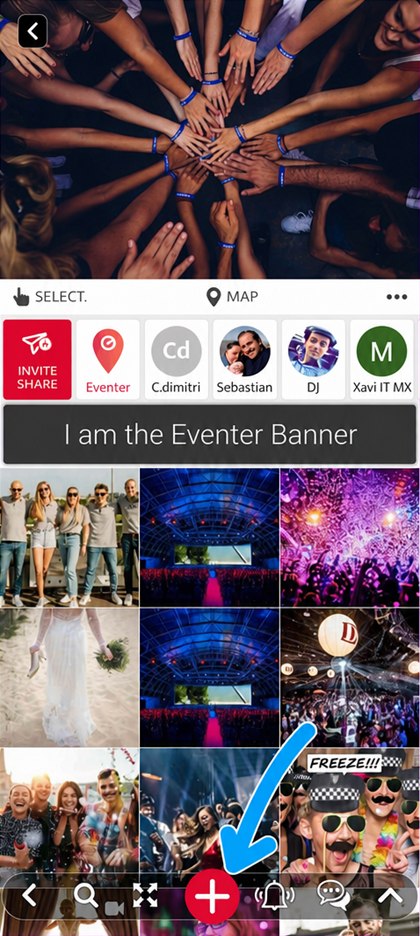
Once in the event, click the “+” button at the bottom of the screen
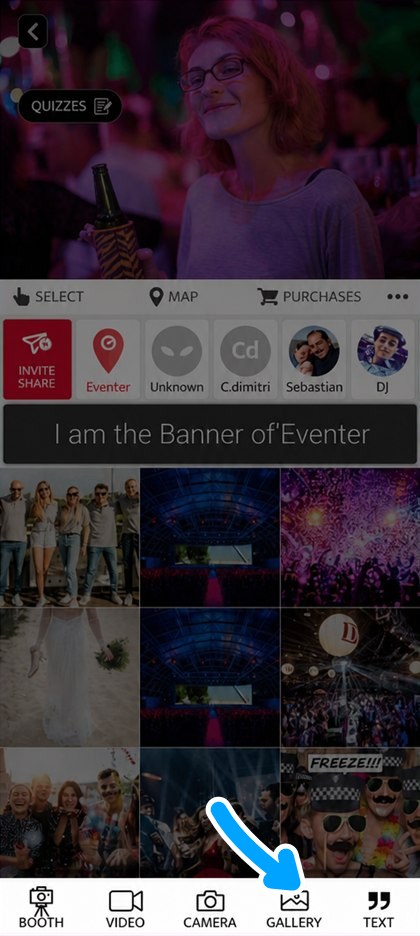
Click the “GALLERY” icon, select your photos and add them to the album
Connect your camera to the computer, or slide its memory card into a card reader: the card then shows up as a drive and reads far faster than through the camera.
Copy the photos into a folder on your computer before uploading them. Copying takes only a few dozen seconds and frees the card straight away, so it can go back into the camera while the upload carries on — whereas uploading straight from the card ties it up until the very end.
Open Eventer Web on your computer at eventer.cc/web
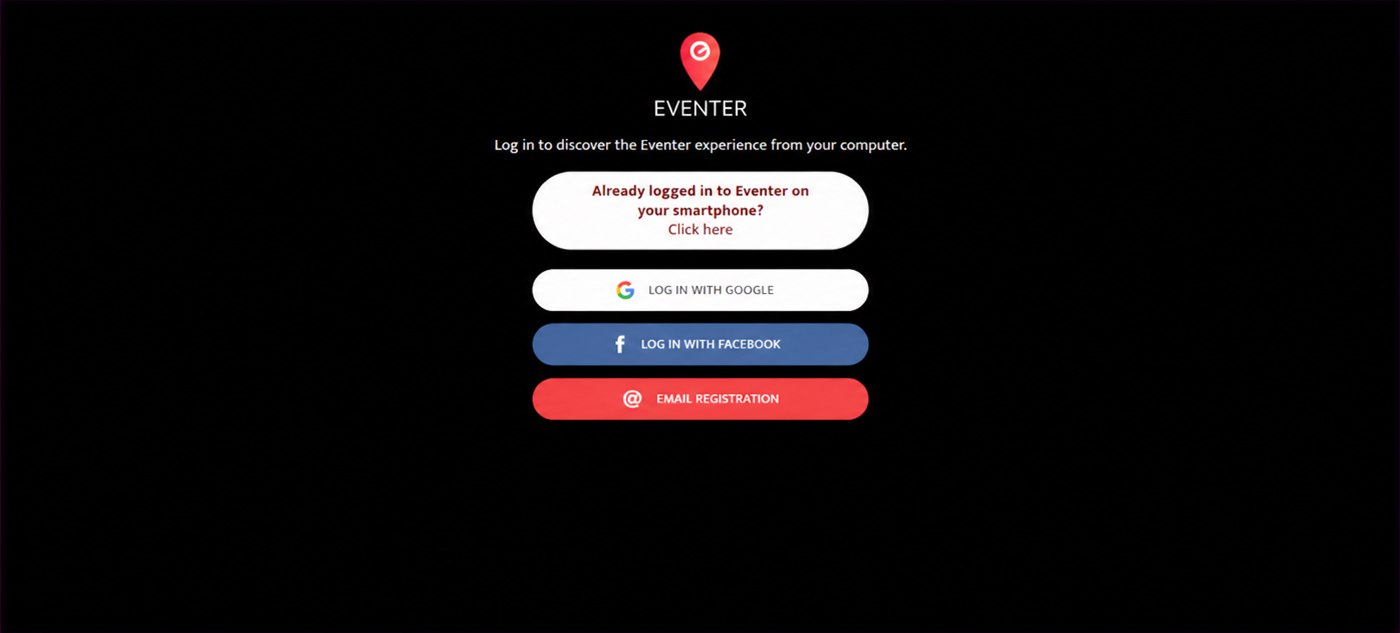
Log in, or retrieve your account from your smartphone with a QR code
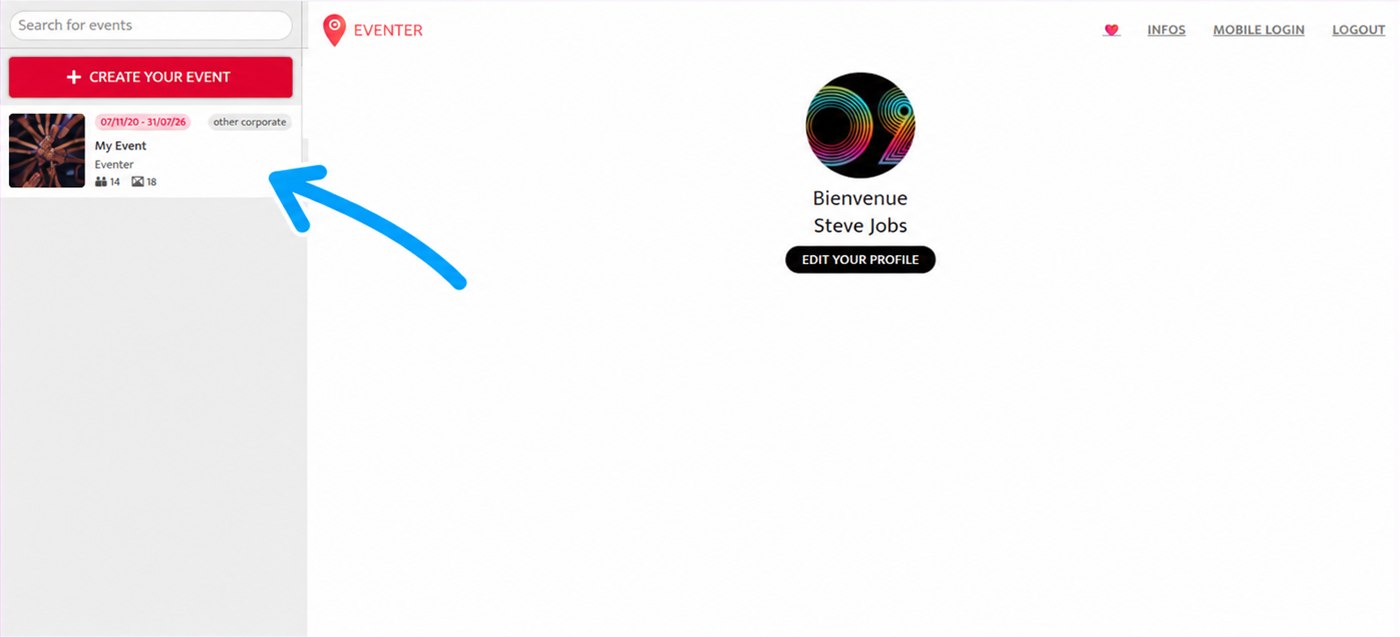
Select your event from the list on the left. If you want to create your event, follow the instructions here
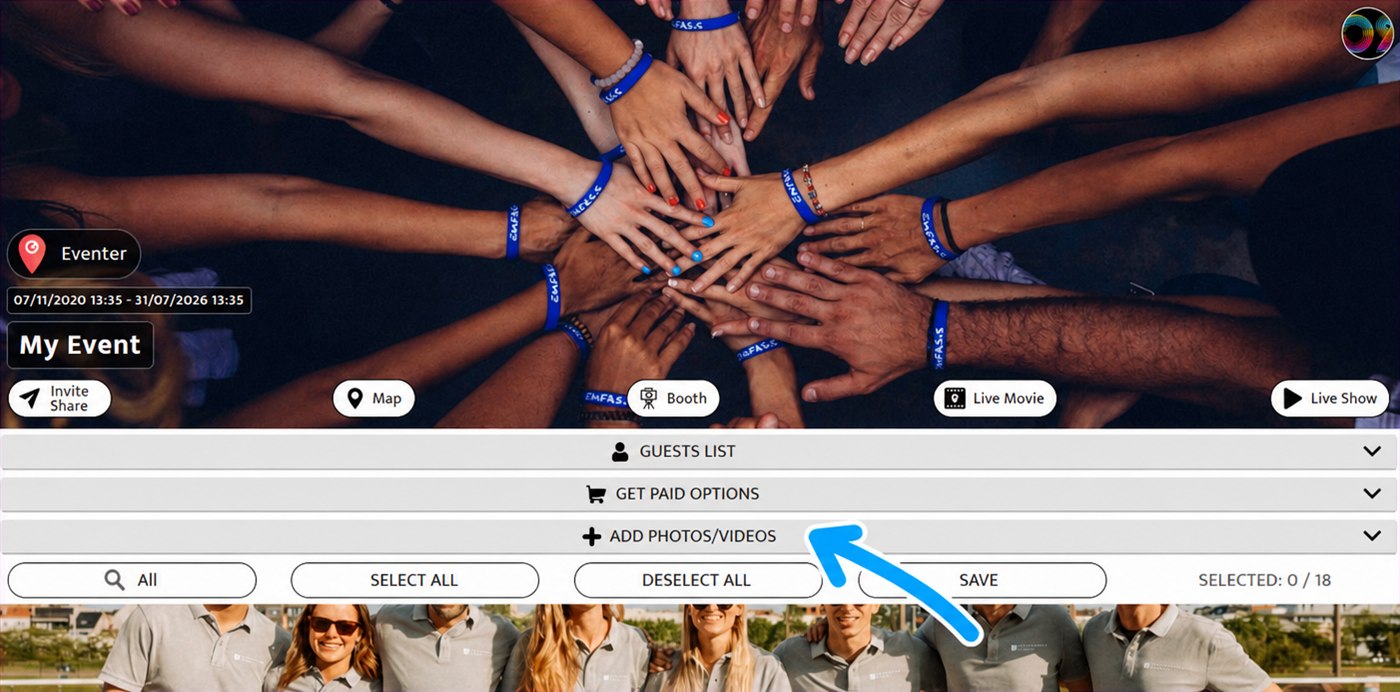
Expand the “ADD PHOTOS/VIDEOS” bar
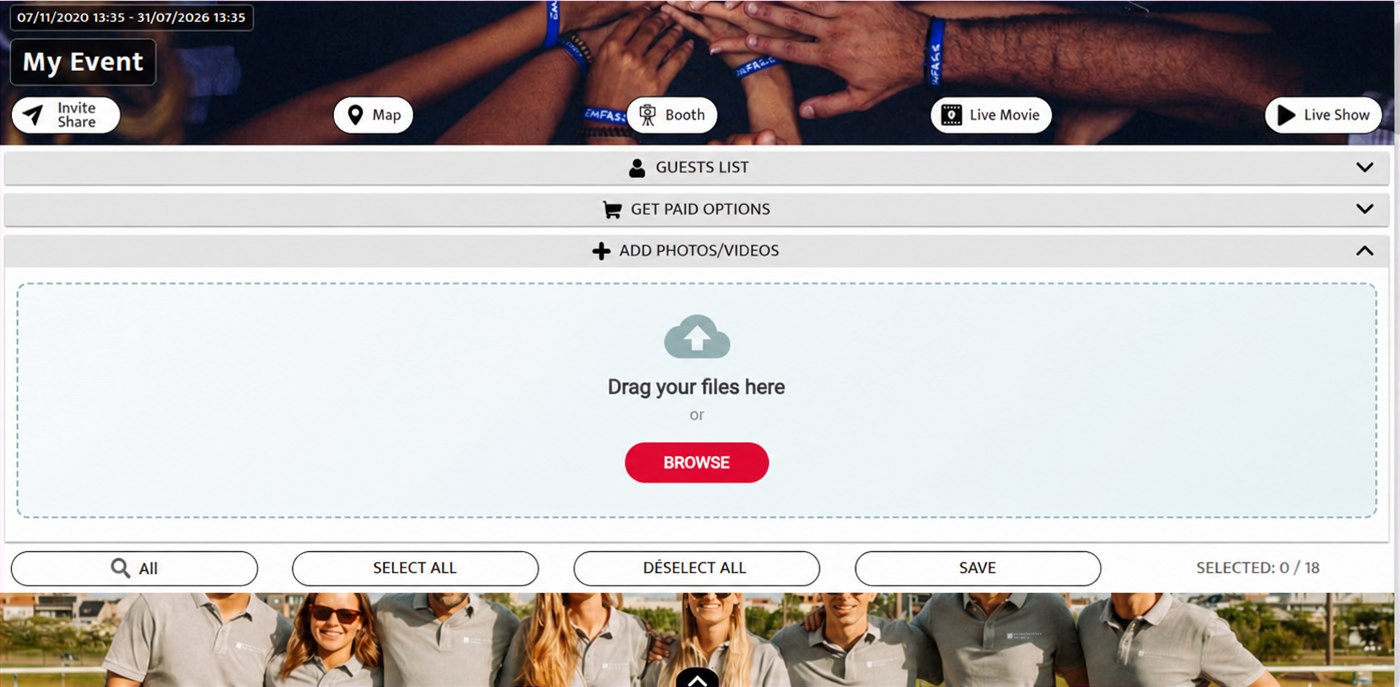
Drag your files into the area